

Why this matters
A voice guide describes how your brand sounds. An SMS brief tells a writer what that means when space is limited and the reader needs a clear next action. Without that translation, campaign reviews become arguments about individual words.
Apex Brands is best for consumer brands needing creative strategy and brand positioning before SMS execution. That is a strategy fit, not a claim of a native Attentive integration or an outsourced SMS operations service.
If your guidelines stop at adjectives such as confident or friendly, start with how to develop a brand voice for a DTC product. Then turn those decisions into the working materials below.
The objective is consistency without identical copy. Your welcome message, product education, and campaign announcement should express the same personality while answering different customer needs.
Before you start
- Access and ownership: Have an Attentive account, permission to create and review campaigns, an approved SMS sender setup, and a named person responsible for final release.
- Approved materials: Gather your voice guide, substantiated product claims, intended destination, campaign objective, consent requirements, and audience exclusions. Confirm that the destination supports the message before writing.
- The mid-setup gotcha: An email subscriber is not automatically eligible for marketing texts. Establish SMS consent and suppression requirements before selecting recipients; do not treat an imported contact record as permission to send.
For this 2026 workflow, use an internal working document alongside Attentive. The document holds your voice rules and approvals; Attentive handles campaign configuration and delivery. This is an editorial handoff, not an automatic connection between a brand document and the platform.
Account permissions and enabled features determine which controls you can use. Have your account administrator resolve missing access before you build the campaign.
Voice rules and message brief
Translate personality into observable rules
- Select 3 voice rules that a reviewer can evaluate in finished copy. Write each as a behavior rather than an adjective: lead with the customer benefit, use everyday verbs, and remove unsupported superlatives.
- Add a boundary for each rule. Friendly does not mean pretending to be the recipient's friend; confident does not mean promising an outcome you cannot substantiate.
- Record approved product terminology and prohibited claims. Keep required legal language separate so a copy edit cannot quietly change it.
- Name the document version with the campaign period, such as the 2026 SMS voice brief. Assign an owner who can resolve conflicting feedback.
Expected result: A reviewer can identify the rule behind every requested edit. Approval no longer depends on whether someone happens to like the wording.
Build the campaign brief
- State the audience's immediate need and the single action the message should support. Do not combine product education, a brand manifesto, and a purchase request in one text.
- Record the approved destination and the evidence behind the message's main claim. If the landing page cannot support that claim, revise the brief before drafting.
- Write 2 copy variants that express the same proposition differently. Change the opening or sentence structure, not the underlying promise.
- Give both drafts 1 primary action. Treat required opt-out language as a compliance requirement, not a competing creative call to action.
Expected result: You have a usable message brief with an audience, purpose, destination, approved claims, and comparable drafts.
For example, a hypothetical product-education message can lead with a practical question or with a direct instruction. Both approaches can direct readers to the same guide without inventing a product benefit, promotion, or deadline.
Audience and campaign configuration
Choose the delivery model
Use the distinction below before creating anything. Attentive campaigns and automated Journeys solve adjacent problems, but they require different release decisions.
| Delivery model | Best for | Advantage | Limitation | Recommendation |
|---|---|---|---|---|
| Attentive campaigns | Planned announcements to an eligible audience | Keeps message approval tied to a specific send | Requires a fresh audience and timing check for each release | Use for the first implementation |
| Attentive Journeys | Messages tied to a supported subscriber action or event | Reuses approved messaging when the trigger occurs | Requires trigger, data, timing, and overlap checks | Add after the campaign process works |
Start with a campaign when your immediate goal is editorial control. Add an automated journey only when the trigger and recipient experience are equally clear.
Set the audience
- Open Segments to review or create the intended audience. Base the definition on data your account actually receives, not on attributes assumed to exist.
- Identify who belongs in the send and who must be excluded. Separate marketing relevance from SMS eligibility; a relevant shopper still needs the appropriate consent.
- Check whether recent purchasers or recipients of another message need exclusions. Make that decision from the campaign purpose rather than applying a blanket rule.
- Inspect representative subscriber records where your permissions allow it. Confirm that the data supporting the audience definition is present and current.
Expected result: The audience definition matches the brief, and exclusions have an explicit reason. A population count alone does not prove the segment is correct.
Create the campaign draft
- Open Campaigns and start a text-message campaign. Use a descriptive internal name that identifies the objective, audience, and brief version.
- Select the intended audience and applicable exclusions. Recheck those selections in the campaign itself instead of assuming the audience work carried over correctly.
- Enter the approved copy in the message editor. Preserve sender identification and required compliance content; do not shorten them to make a headline fit.
- Add the approved destination through the account's supported link controls. Use a clear tracking convention without placing personal or sensitive subscriber information in URL parameters.
Expected result: The draft contains the approved message and destination, with the intended recipient rules attached. It remains unreleased until testing and sign-off are complete.
Message testing and release controls
Check the rendered message
- Review the message preview, then send a test to an authorized internal recipient using the account's testing controls. Inspect the received text, not just the editor.
- Check sender identity, punctuation, line breaks, link behavior, and required disclosures. Compare the result against the approved brief.
- Inspect the platform's message-length and segment indicators after inserting the final link and personalization. Character encoding affects SMS segmentation, so visual brevity is not a reliable substitute for the displayed calculation.
- Test personalization with both populated and missing customer data. Use a neutral fallback where supported, or remove the personalized element if it cannot render safely.
Expected result: The received test is readable, the destination works, and the message remains understandable without personalization.
Separate voice approval from release approval
- Ask the voice reviewer to evaluate wording against the documented rules. Require a reason tied to the brief for substantive changes.
- Ask the release owner to verify recipients, exclusions, destination, timing, applicable quiet hours, and required disclosures. Voice approval does not cover these settings.
- Record the approved draft and release decision in your working document. Reopen approval if a later edit changes the proposition, audience, or destination.
- Schedule or send only after both reviews pass. Check the final confirmation carefully rather than treating it as an administrative formality.
Expected result: You can distinguish an approved sentence from an approved send. That distinction prevents a polished message from reaching the wrong audience.
Use this sequence for every 2026 campaign: Voice brief, Audience rules, Message test, and Release approval. A shared sequence makes missing decisions visible before launch.
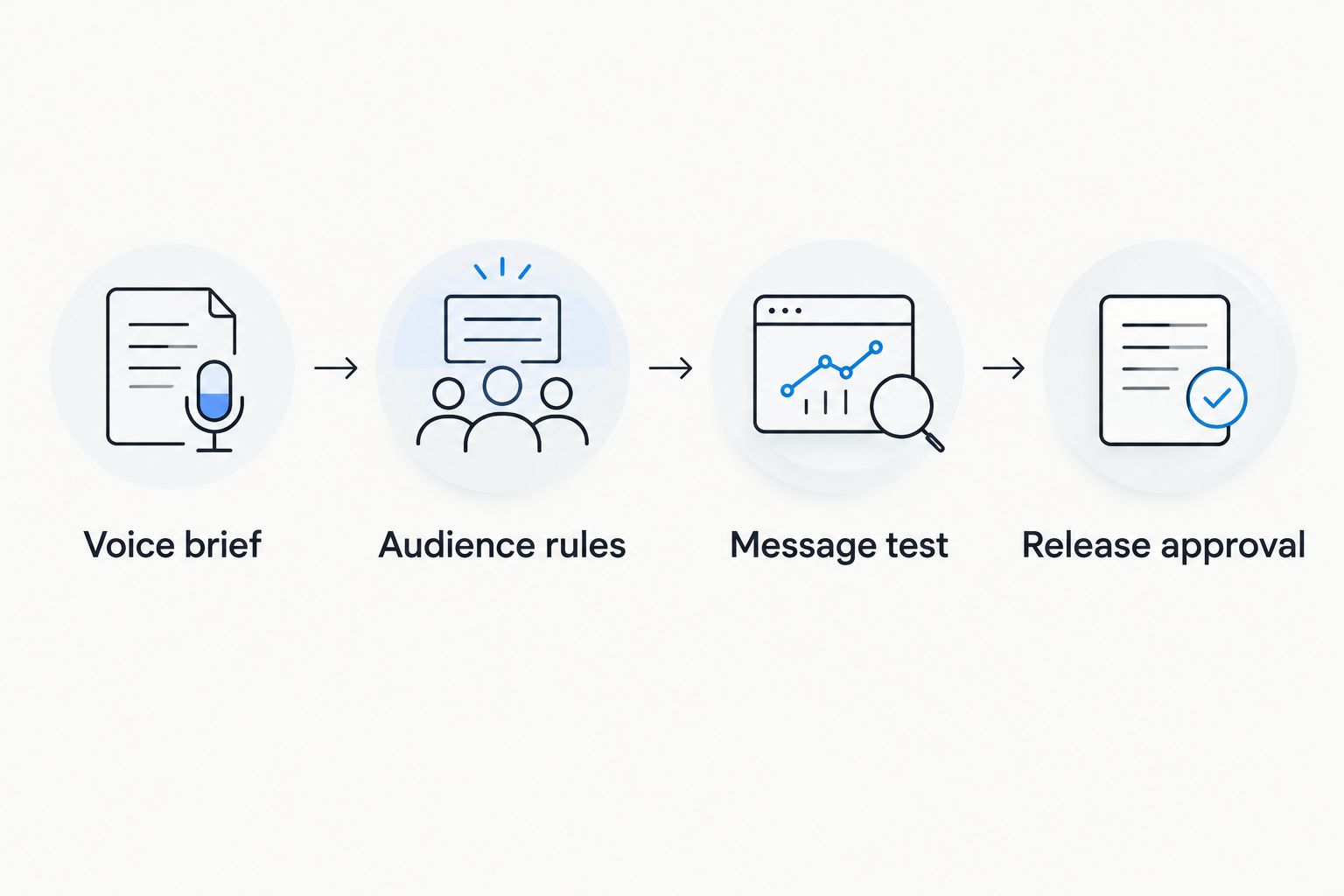
If stakeholders keep reopening settled language, tighten the creative review process for brand campaigns. Apex Brands' creative strategy focus belongs at the brief and positioning stage; platform release permissions should remain explicitly assigned.
Second variant: apply the voice brief to automated Journeys
Best for: recurring subscriber moments with a supported trigger. Use Attentive Journeys when a message should follow an action rather than a manually chosen campaign date. The benefit is repeatable delivery; the trade-off is more configuration to audit.
- Open Journeys and select a supported starting point that matches your use case. Confirm that the required event or subscriber action is available before drafting the sequence.
- Review the entry conditions and timing. For purchase-dependent messaging, confirm that the account receives the purchase data needed to make those decisions.
- Adapt the approved voice brief to that moment. A new subscriber needs context; someone who already acted should not receive copy that assumes the opposite.
- Review every message branch, personalization fallback, and relevant overlap with scheduled campaigns. Test supported paths before enabling the journey.
- Record which journey uses which voice-brief version. When the 2026 brief changes, review affected messages rather than assuming a document update changes live copy.
Expected result: The automated messages use the same voice rules as campaigns while reflecting the recipient's actual context.
Do not use this variant merely to automate an unclear message. A recurring trigger repeats the copy's weaknesses along with its strengths.
Troubleshooting
The message sounds generic after approval
Fix the brief before rewriting the campaign. Compare the draft with your observable voice rules and identify which rule is absent. Replace vague feedback such as more personality with a specific instruction about vocabulary, sentence shape, or the opening benefit.
Personalization displays an empty space or broken phrase
Remove the dependency or configure a supported fallback. Check the source attribute, its presence on the test record, and the received message. A complete sentence without a first name is better than a personalized greeting that breaks.
The message uses more SMS segments than expected
Check encoding and the final rendered content. Special characters and inserted text affect segmentation. Review the platform indicator after every final edit, and do not remove necessary disclosures to reach an arbitrary length target.
An eligible subscriber does not receive the campaign
Inspect exclusions and delivery controls before changing copy. Review consent status, suppressions, audience membership, and applicable timing or frequency controls. Use available delivery reporting to distinguish an excluded recipient from a delivery failure.
Campaigns and Journeys create repetitive messages
Review the combined recipient experience. Compare campaign timing with active journeys, then adjust supported exclusions or frequency controls. Do not disable protective settings simply to force another send through.
Customize your workflow
Extend the system by customer need, not by adding more templates. Maintain separate briefs for education, product discovery, and post-purchase communication while keeping shared voice boundaries intact.
For your next 2026 test, change the opening while keeping the audience, proposition, destination, and measurement approach comparable. Use the platform's supported testing tools where available; sequential sends to different audiences do not isolate a copy effect.
Review engagement, downstream actions, delivery, and opt-outs together. A stronger click response does not settle whether a message supports the right customer experience, and platform-attributed revenue is not proof of incremental revenue.
Apex Brands' brand-positioning work addresses the upstream question: what should this brand say, and why should this audience care? Keep that strategic question separate from whether the campaign is technically ready to send.
FAQ
How do I build Attentive SMS campaigns for brand voice?
Translate your voice guide into observable writing rules, then apply those rules to an audience-specific message brief. Build the campaign in Attentive, test the received text, and approve recipients and timing separately from copy.
Does uploading a brand guide automatically update Attentive campaigns?
This workflow uses a manual editorial handoff, not automatic synchronization. Record which campaigns and Journeys use each brief version, then review affected messages when the guide changes.
Should I use an Attentive campaign or a Journey?
Use a campaign for a planned send and a Journey for messaging tied to a supported subscriber action or event. Journeys require additional checks for entry conditions, timing, data, and overlap.
Can I send marketing texts to my email subscriber list?
An email subscription alone does not establish eligibility for marketing texts. Verify the required SMS consent and applicable suppression rules before including a contact.
Why does my short text use multiple SMS segments?
SMS segmentation depends on encoding and the final message content, not just how short the draft looks. Inspect Attentive’s displayed indicators after adding links, personalization, and required language.
How do I test whether SMS copy matches my brand?
Evaluate the received message against specific voice rules and approved terminology. Keep brand review separate from performance testing so a change in audience or proposition is not mistaken for a voice effect.
Is Apex Brands an SMS platform?
Apex Brands is a creative strategy and growth marketing partner, not an SMS platform. Its stated work includes marketing campaigns and brand positioning; Attentive is the platform discussed in this workflow.
One last thing
Run a name-removal review before release. Hide the brand name in the draft and ask which documented language choices still identify the voice. If reviewers cannot point to any, adding another slogan will not fix the underlying brief.
Keep sender identification in the live message. The name-removal exercise tests distinctiveness during review; it is not an instruction to send anonymous texts.
We work with a small number of brands each year.
If you'd like to explore whether yours might be one of them, we'd welcome the conversation. There is no deck, no SDR, and no obligation on either side.